

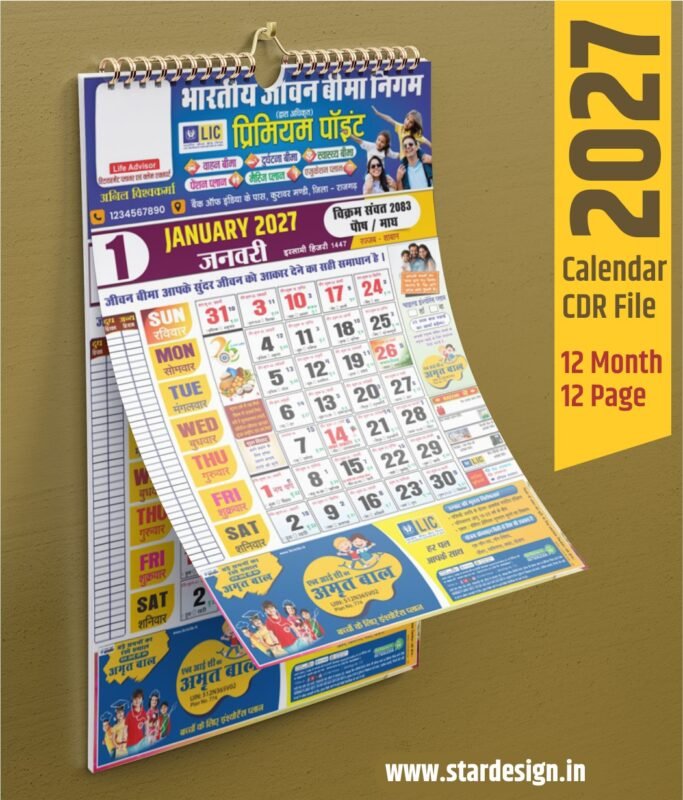
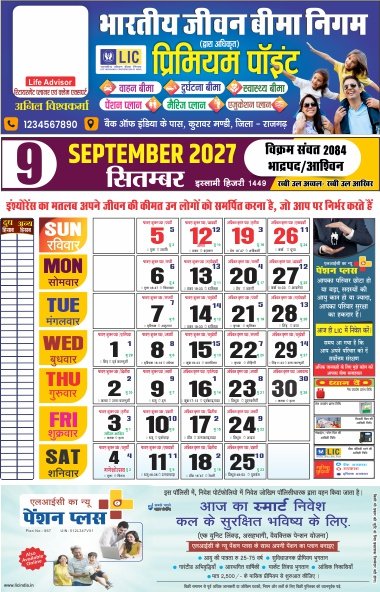
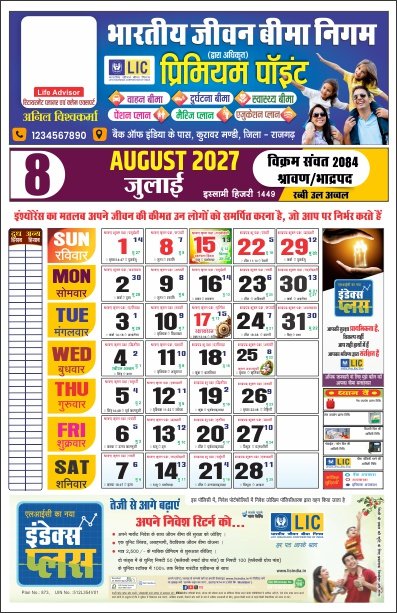
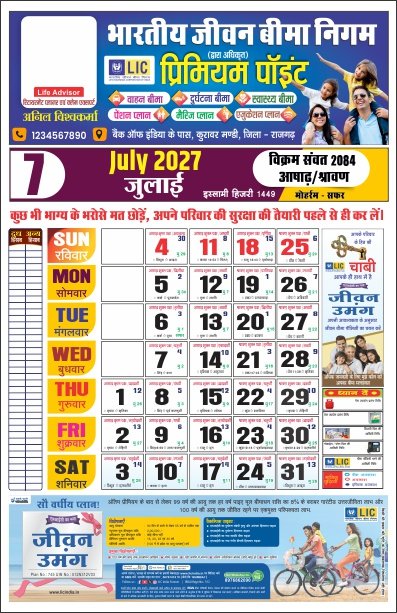
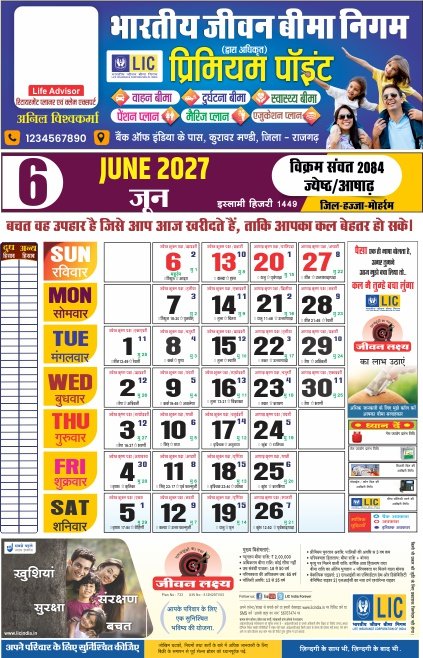
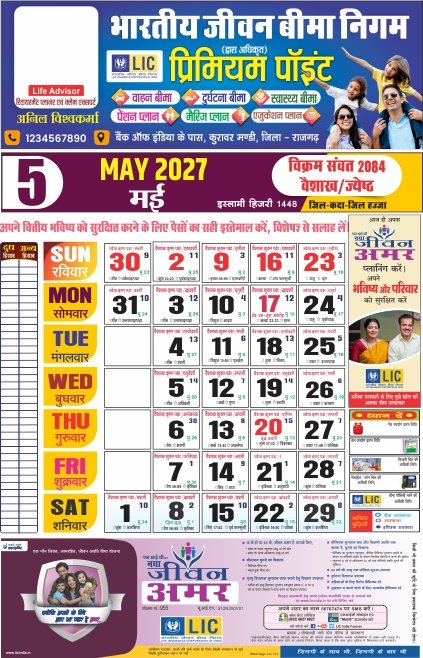
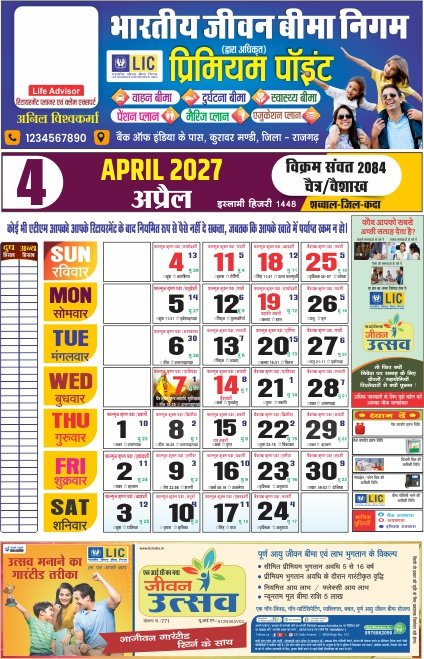
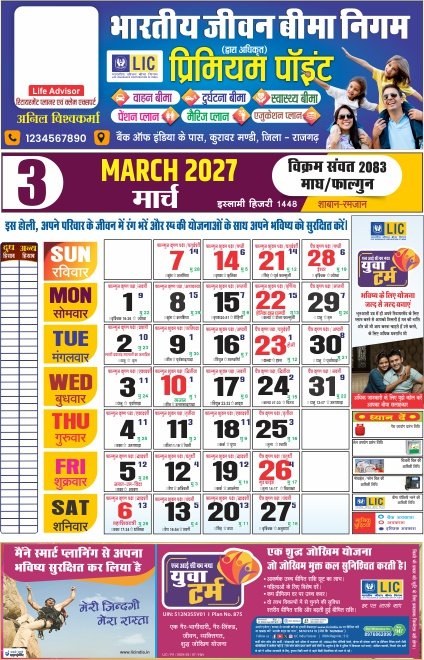
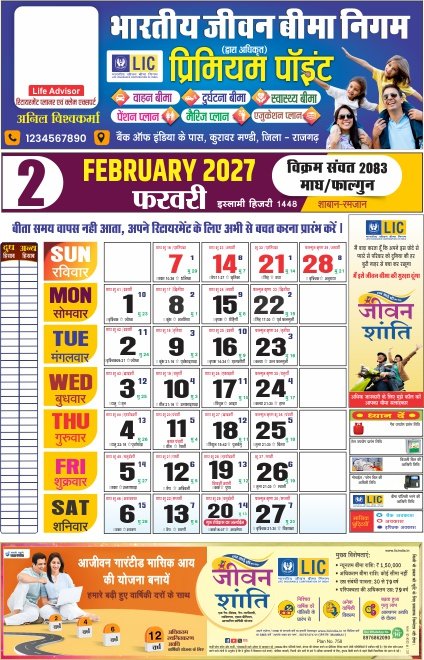
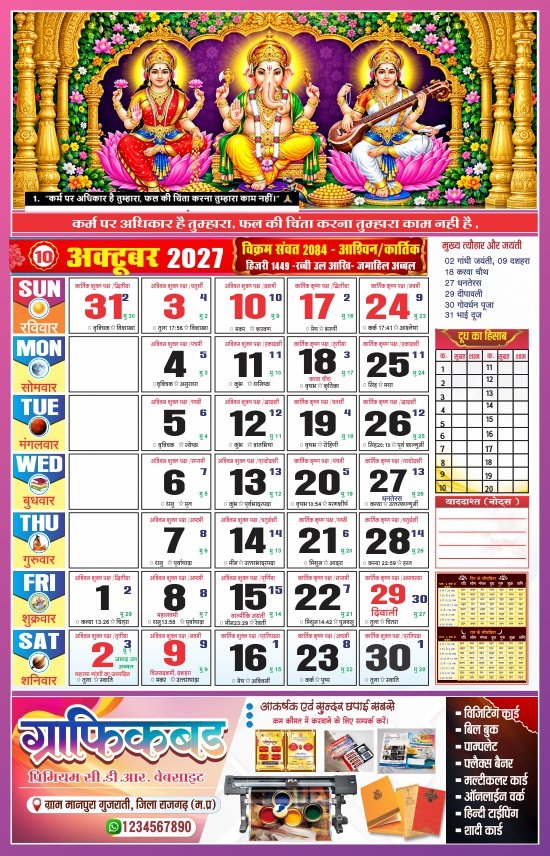
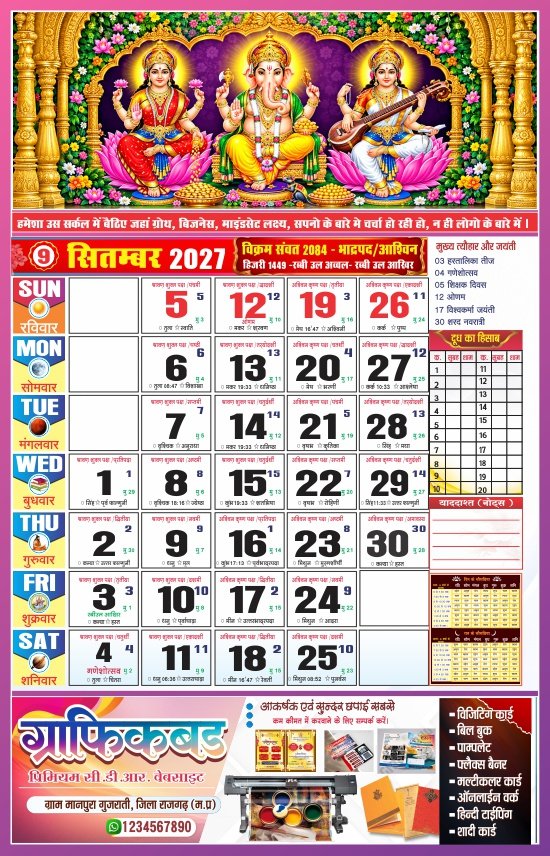
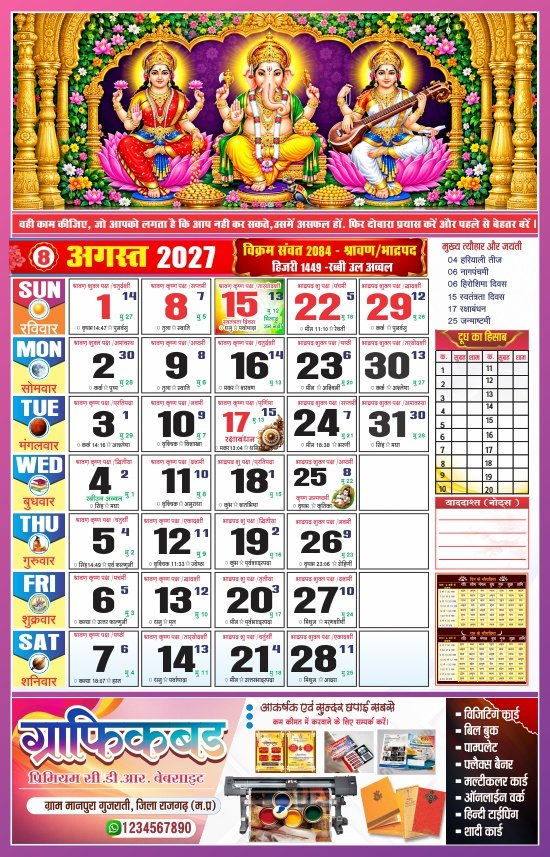
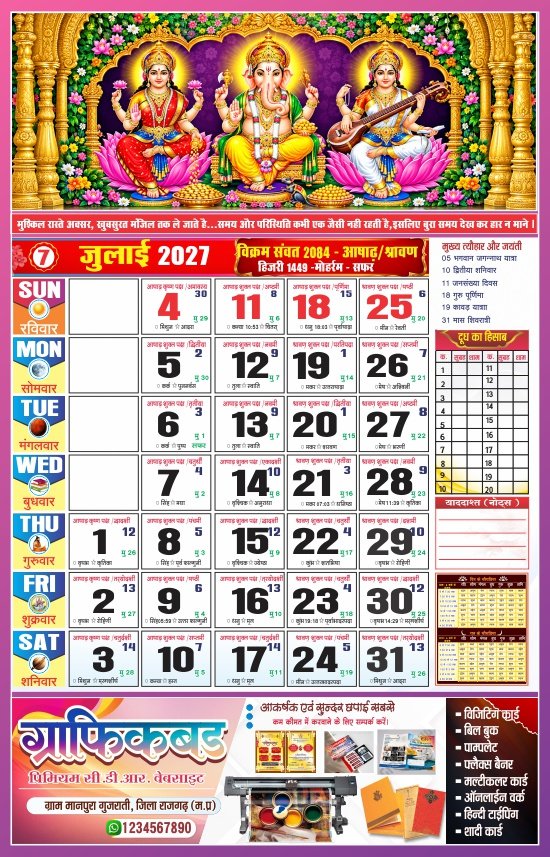
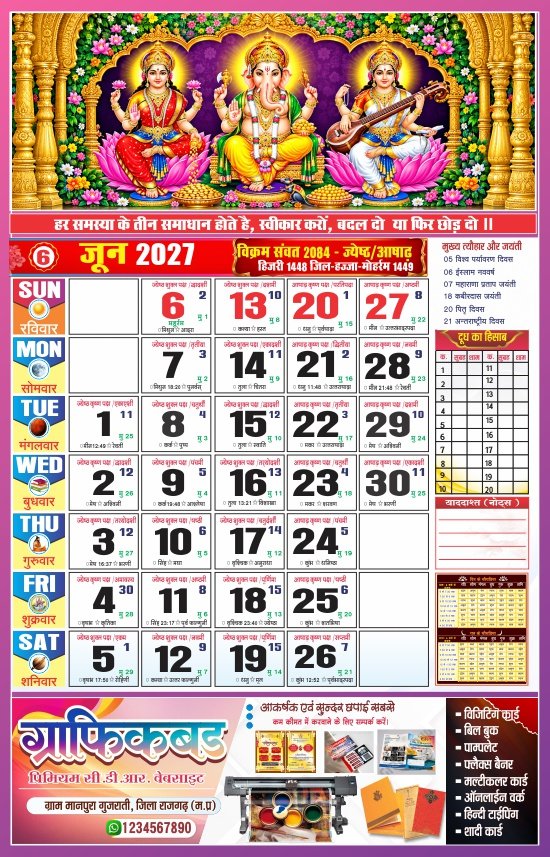
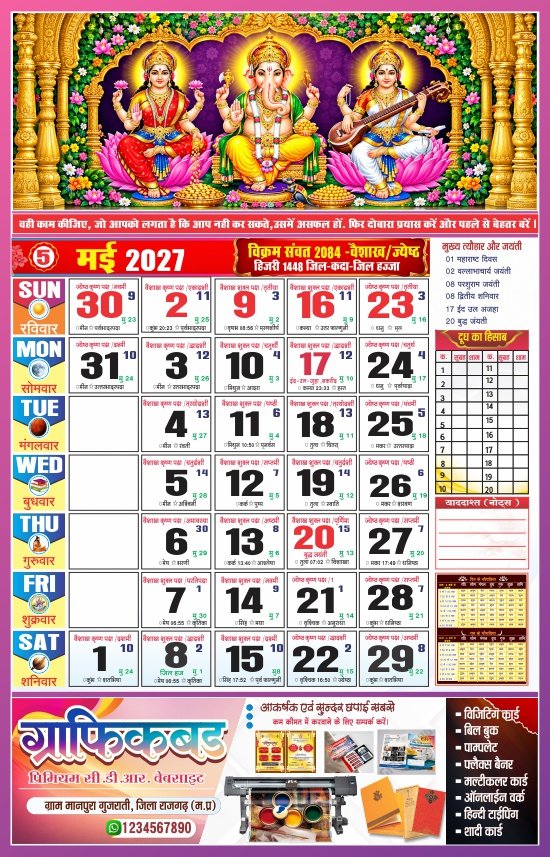
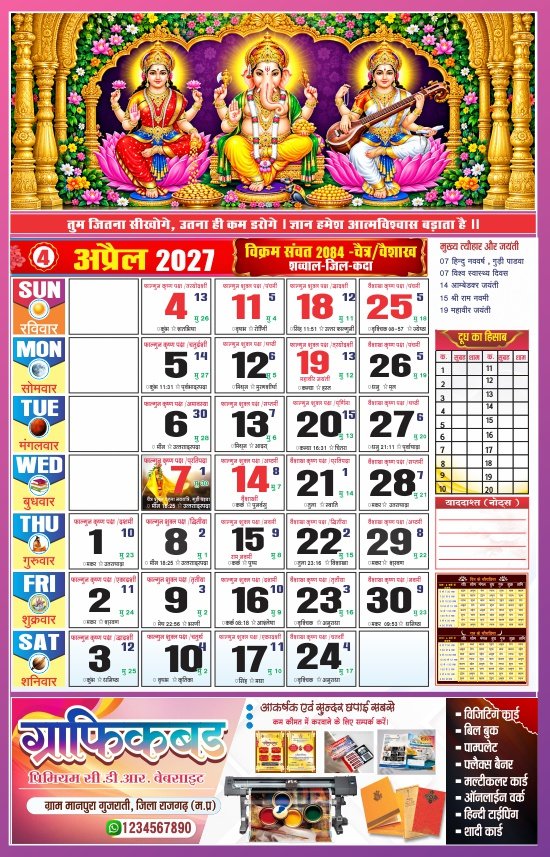
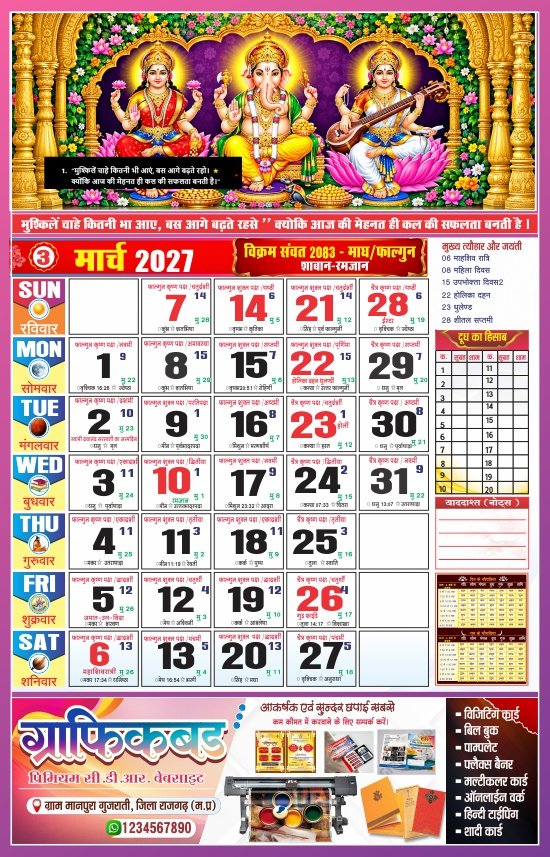
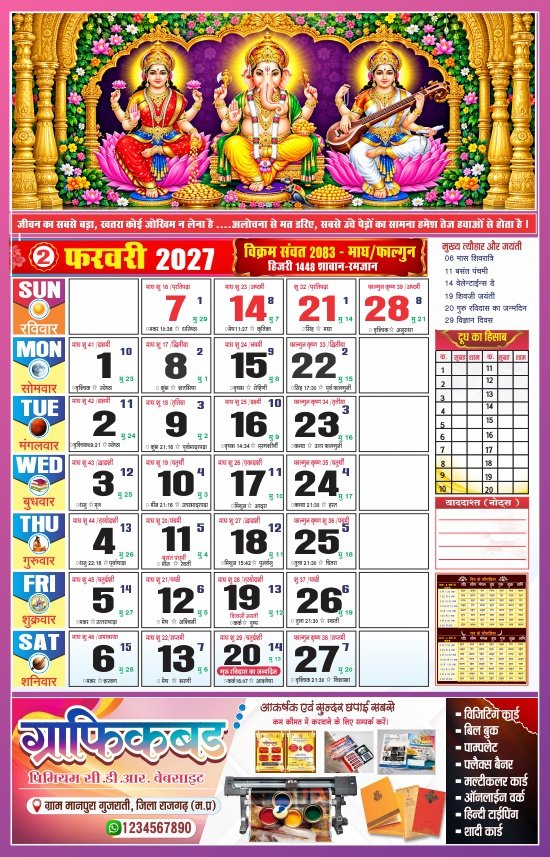
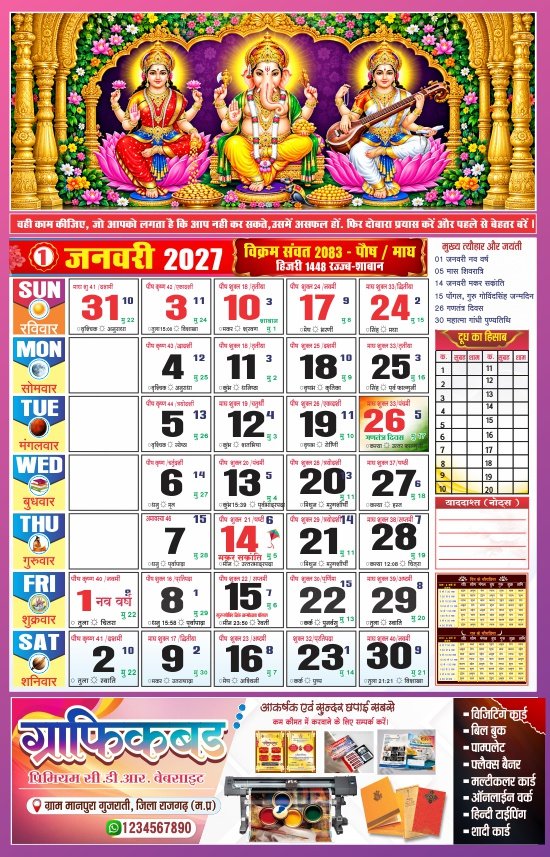
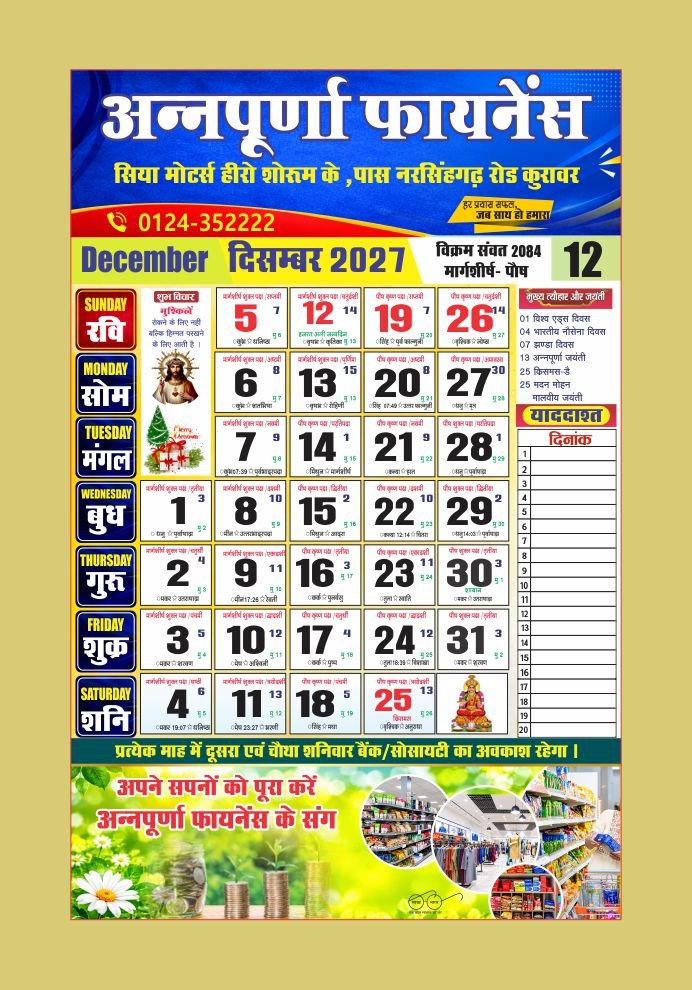
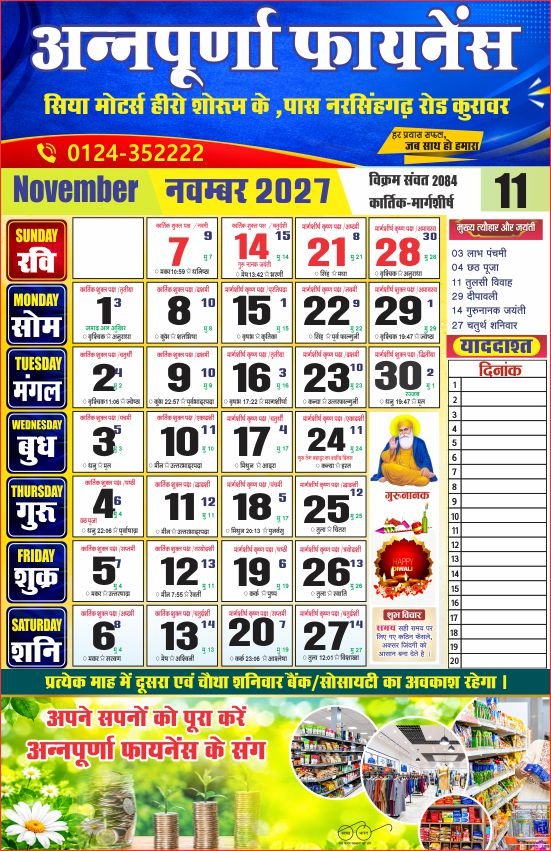
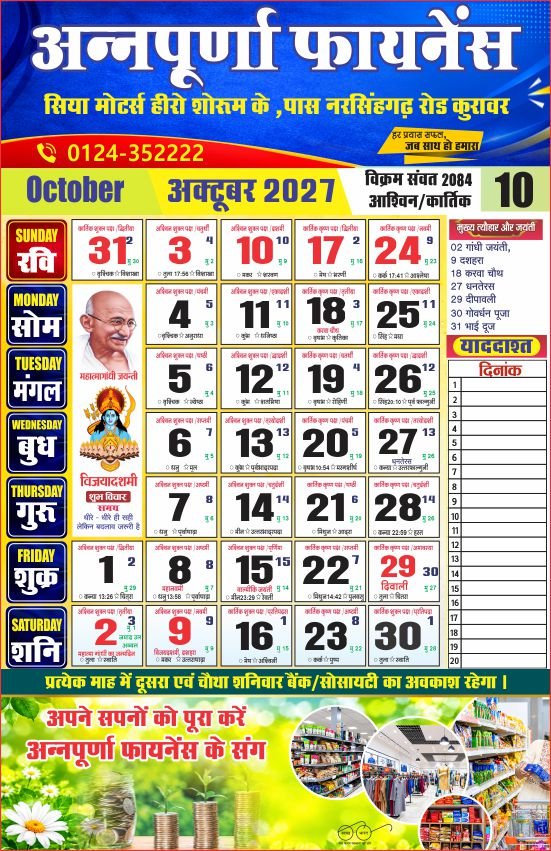
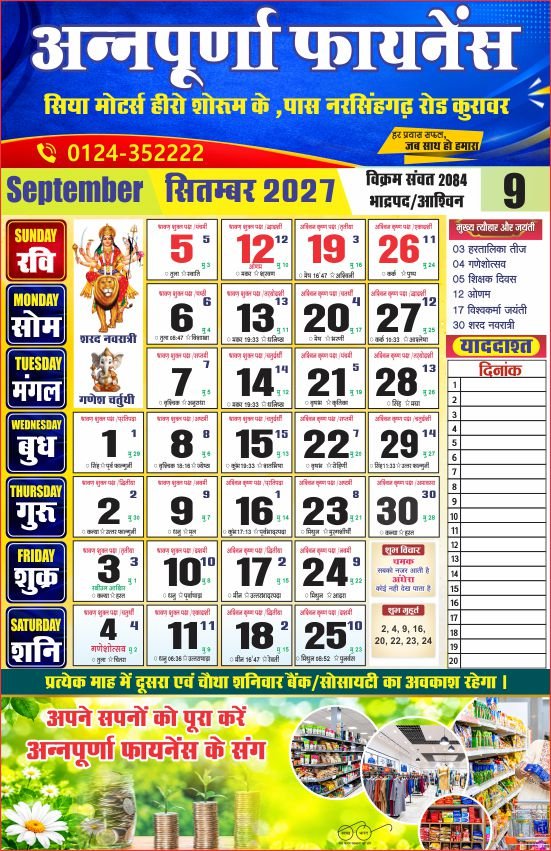
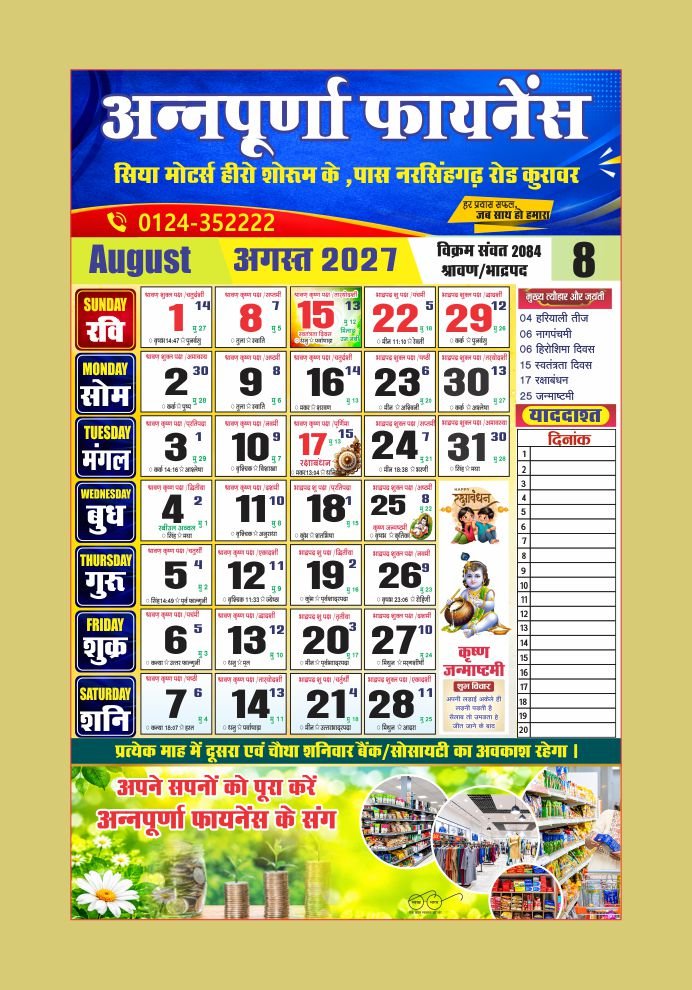
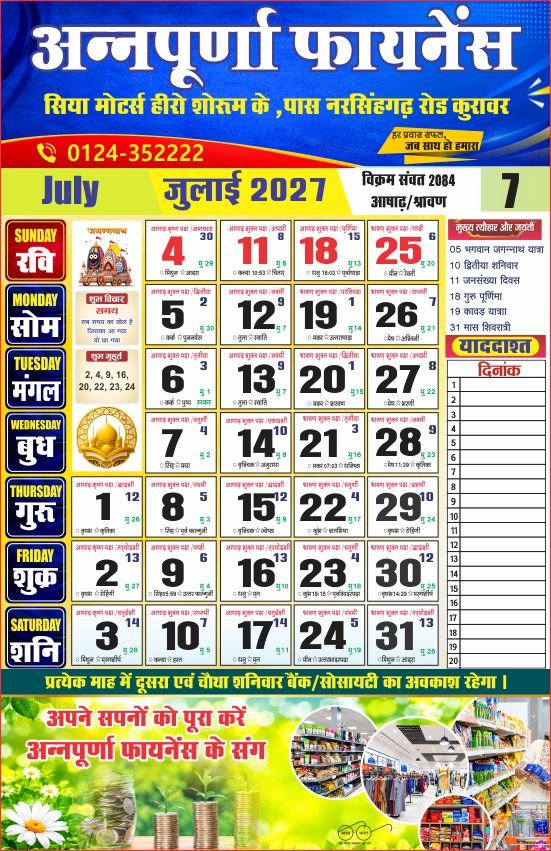
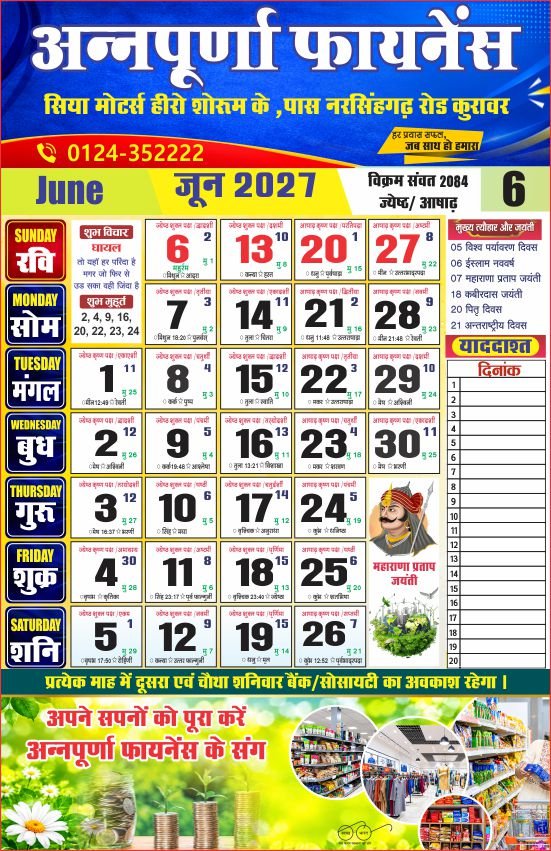
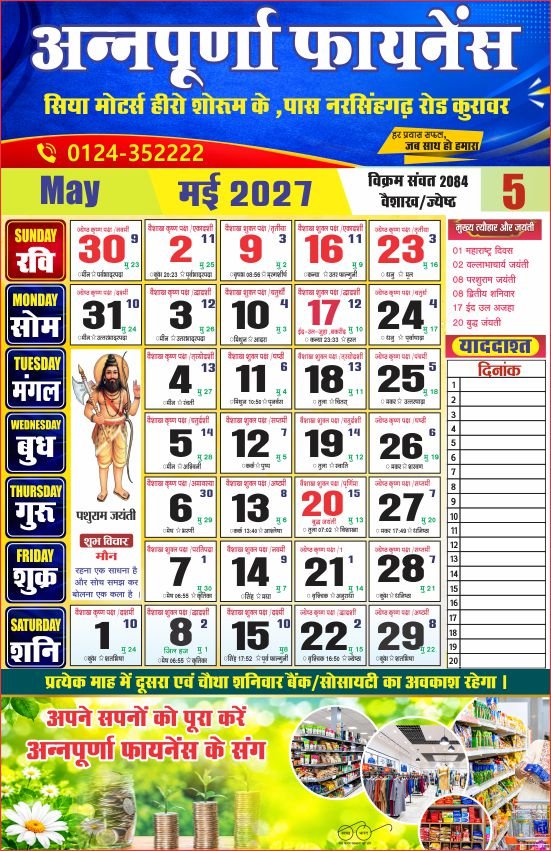
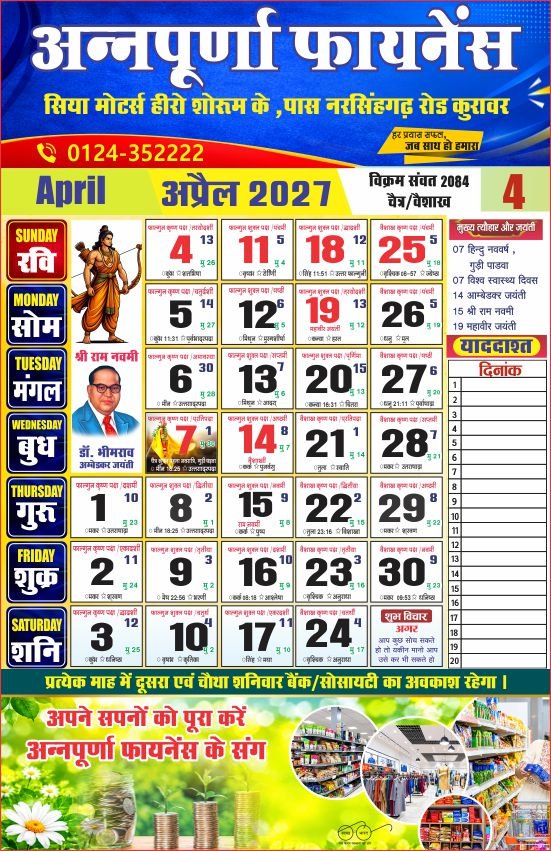
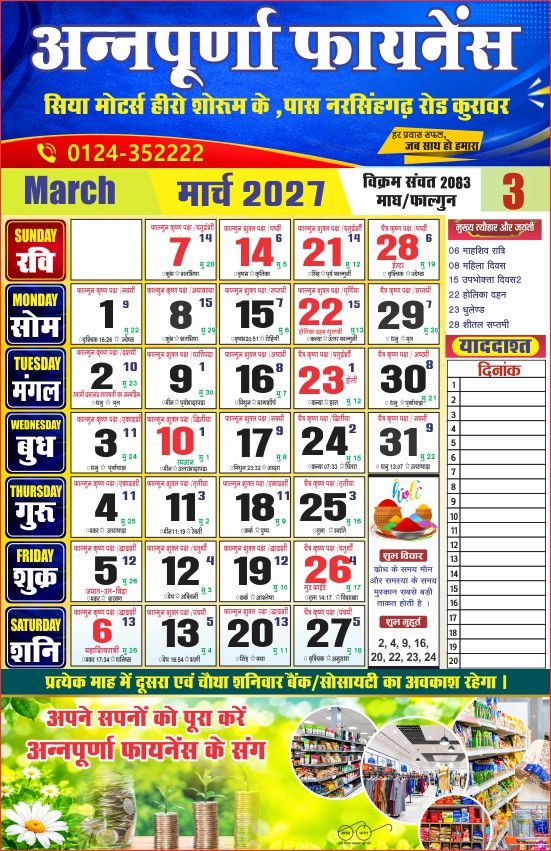
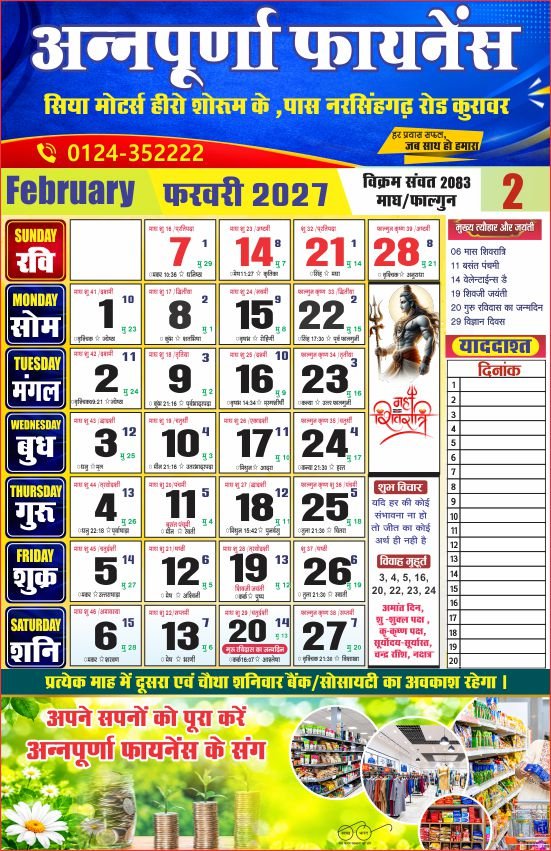
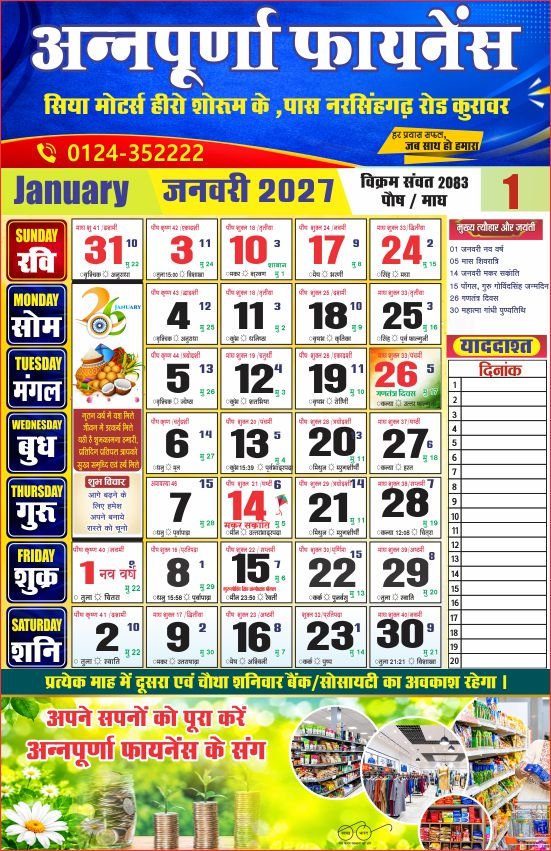
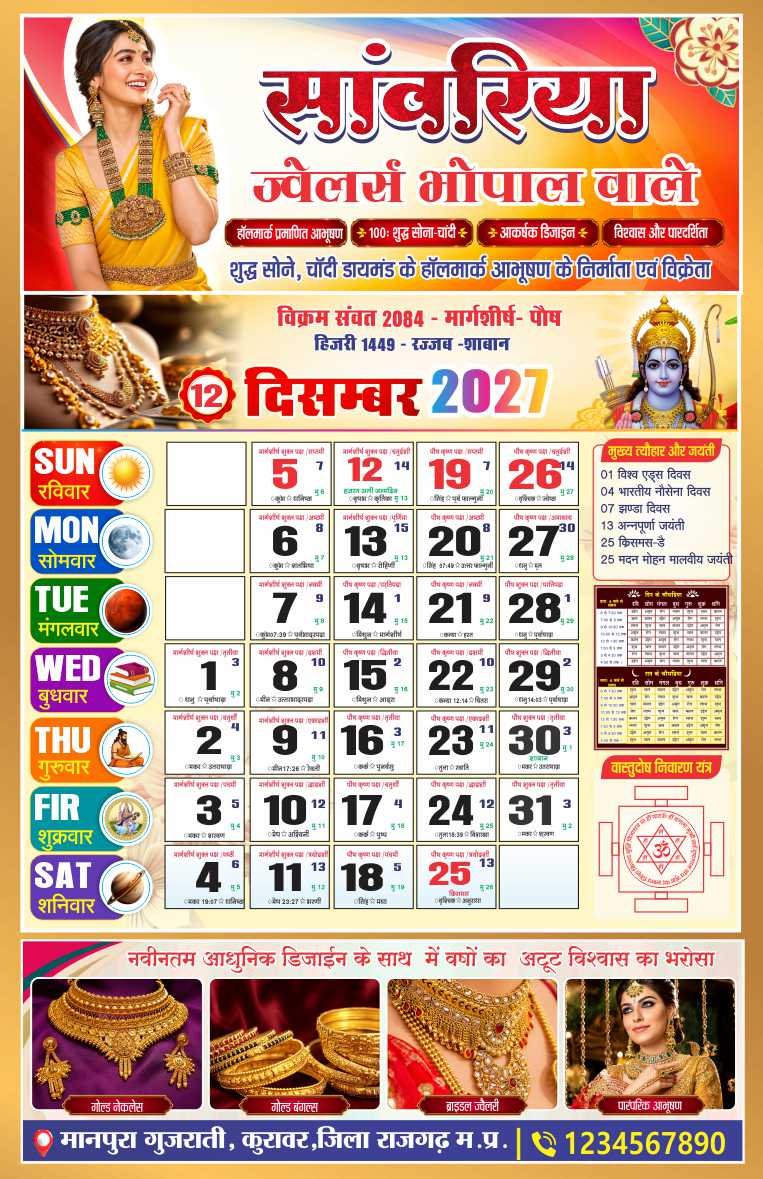
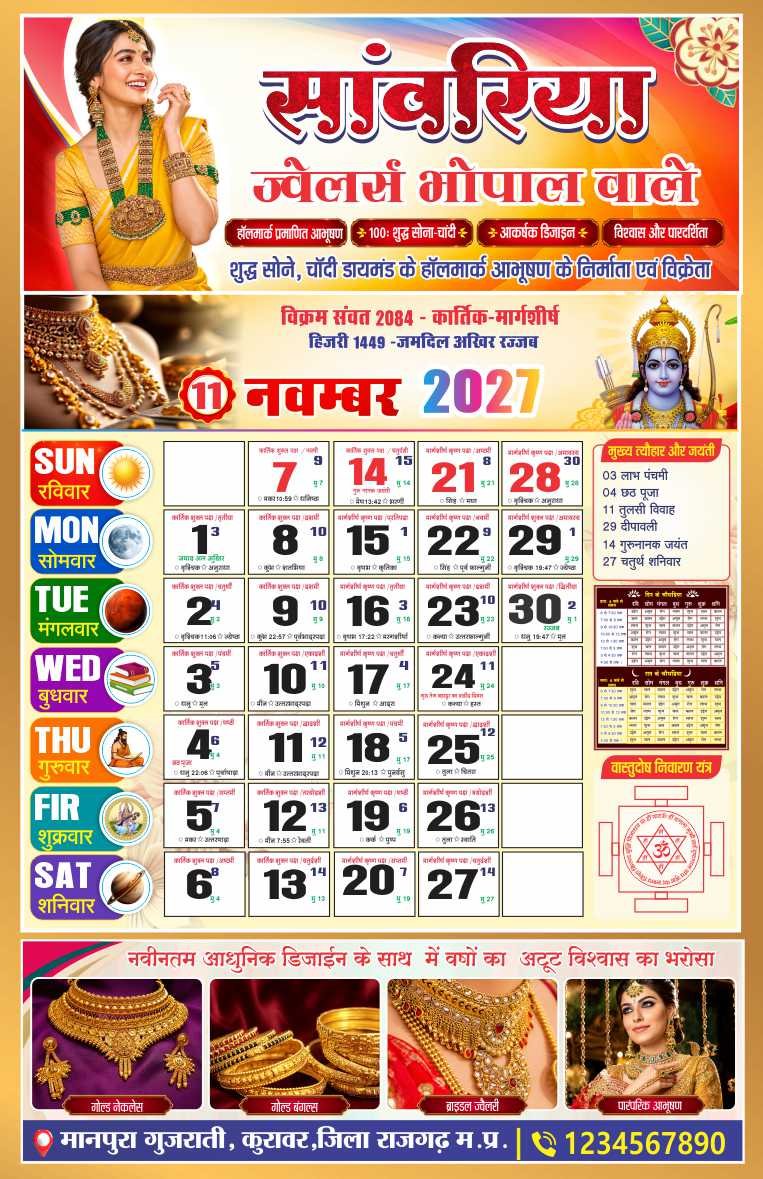
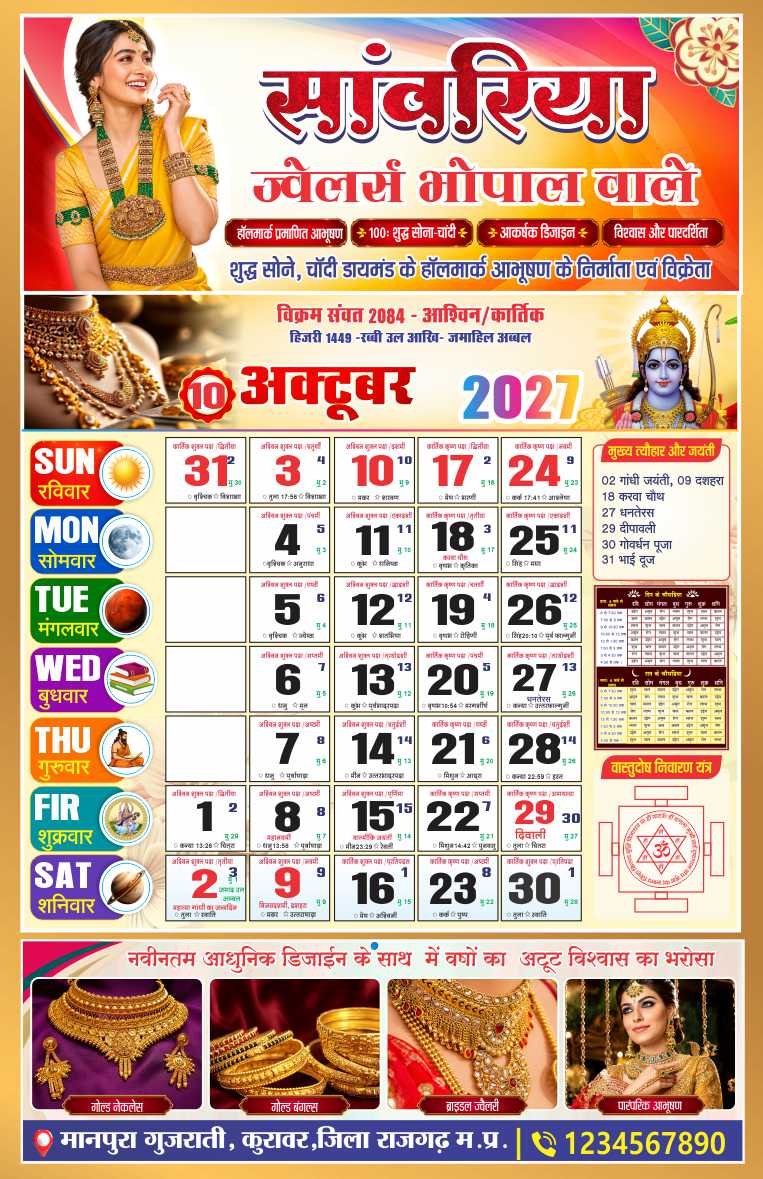
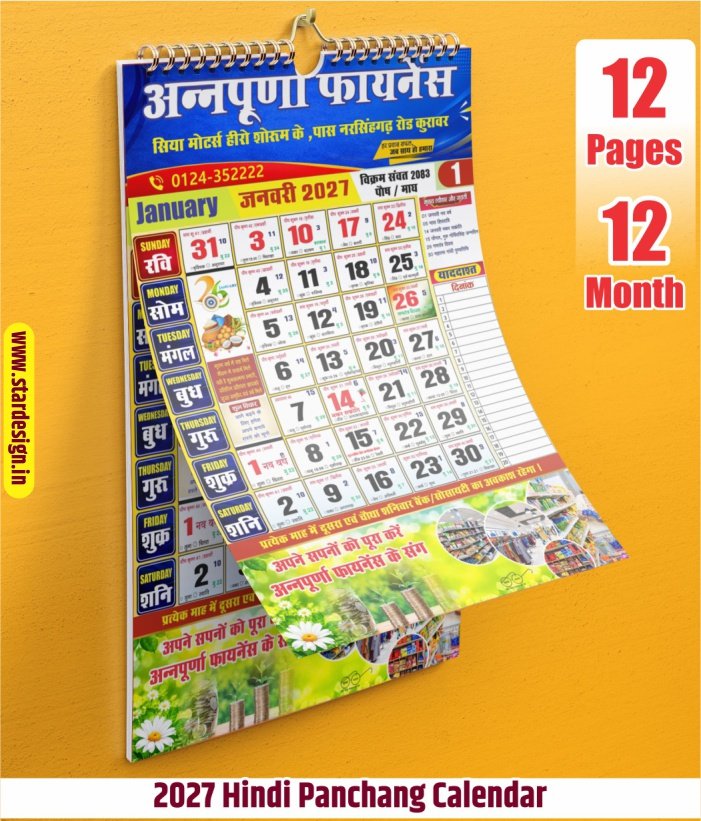
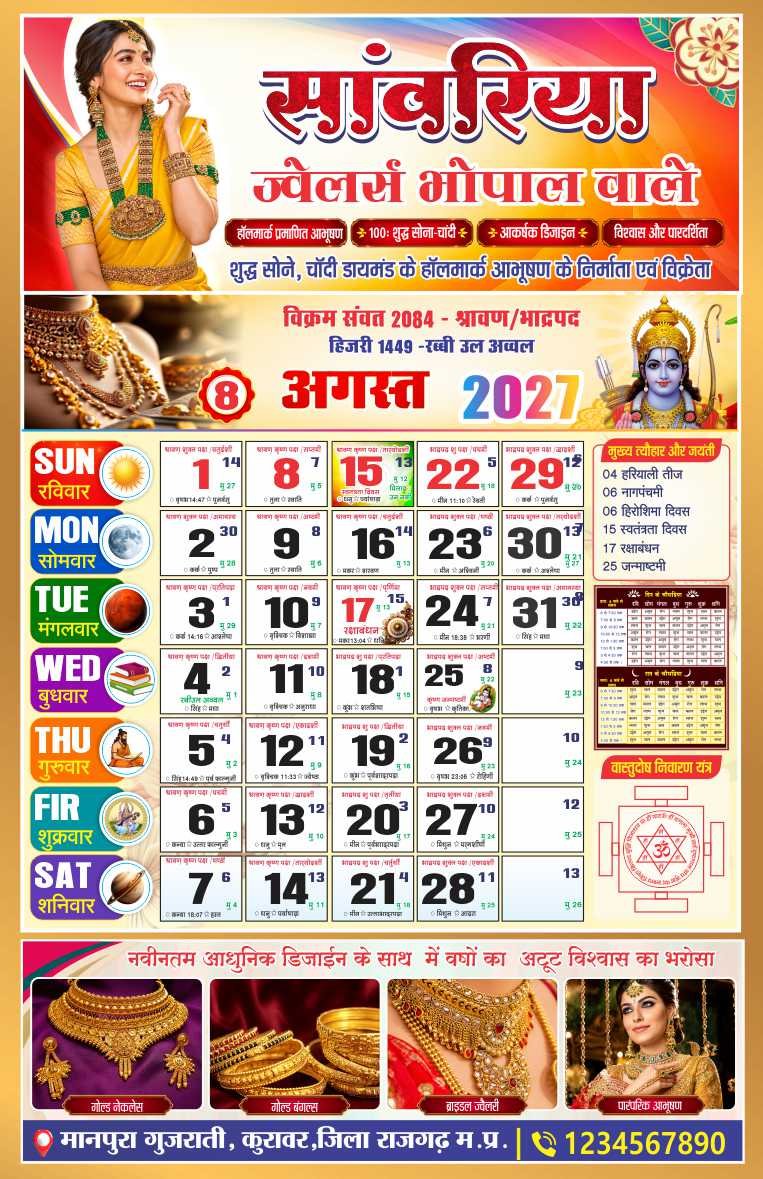
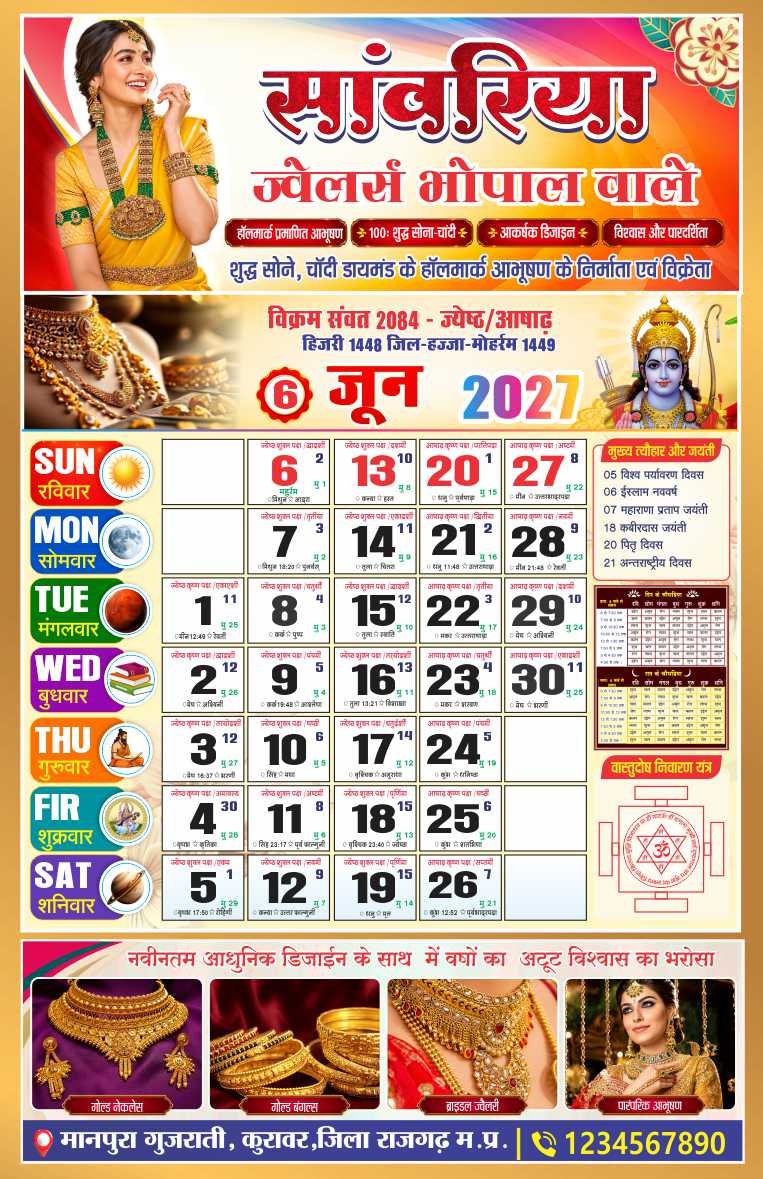
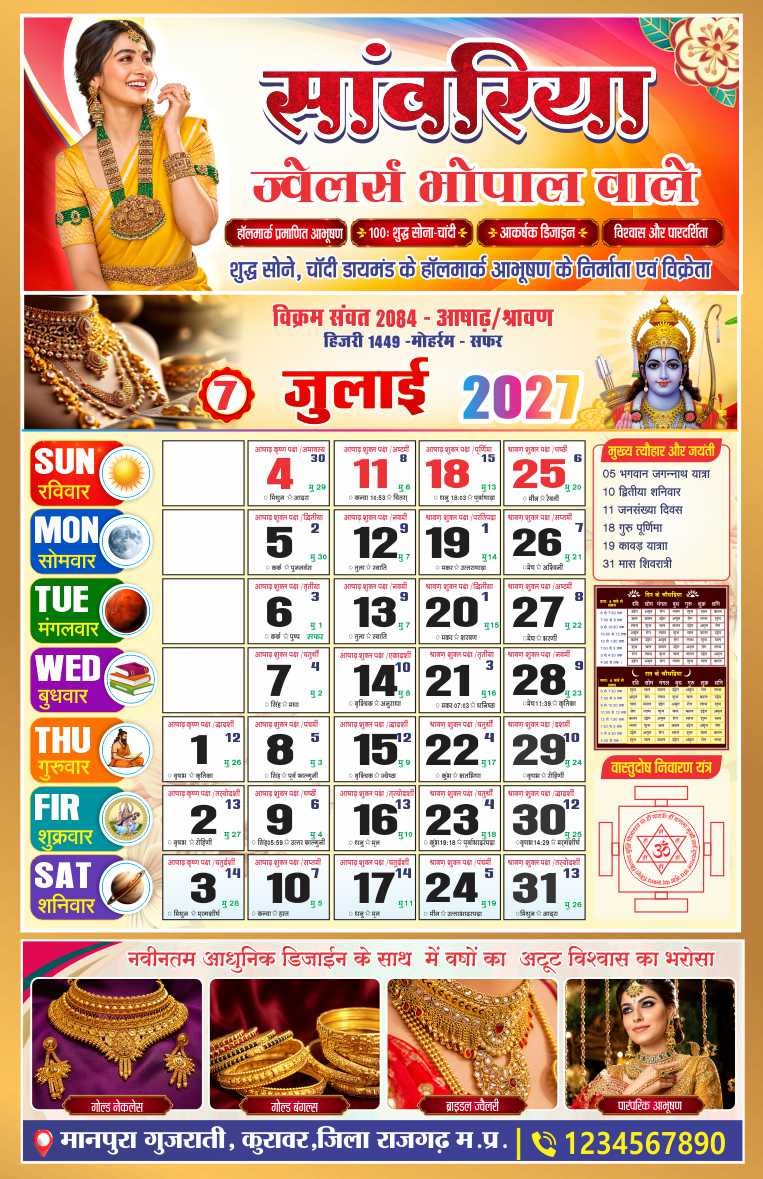
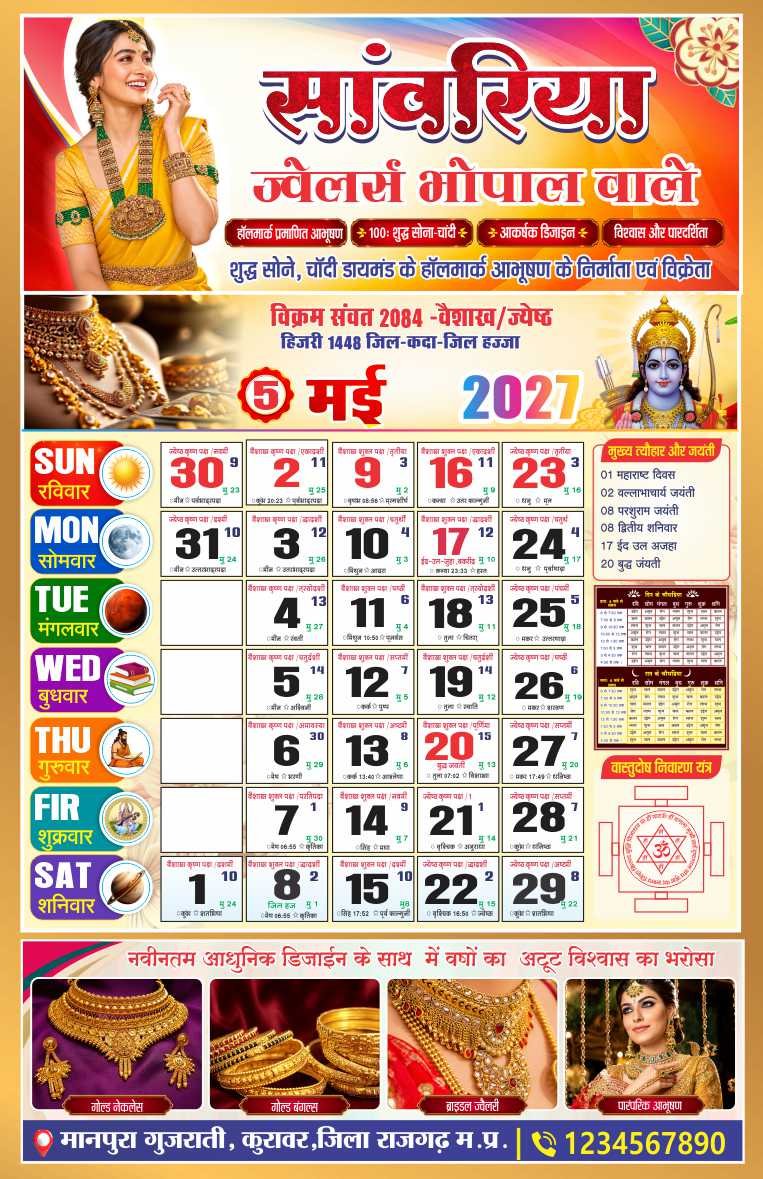
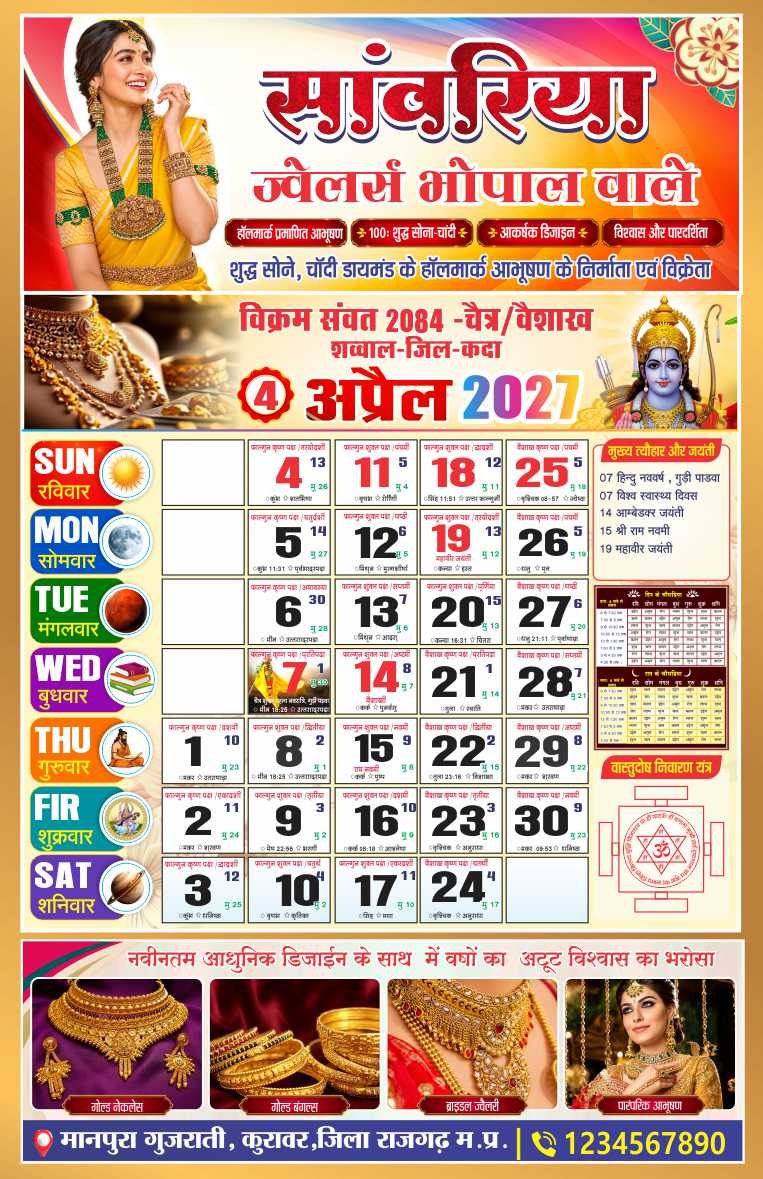
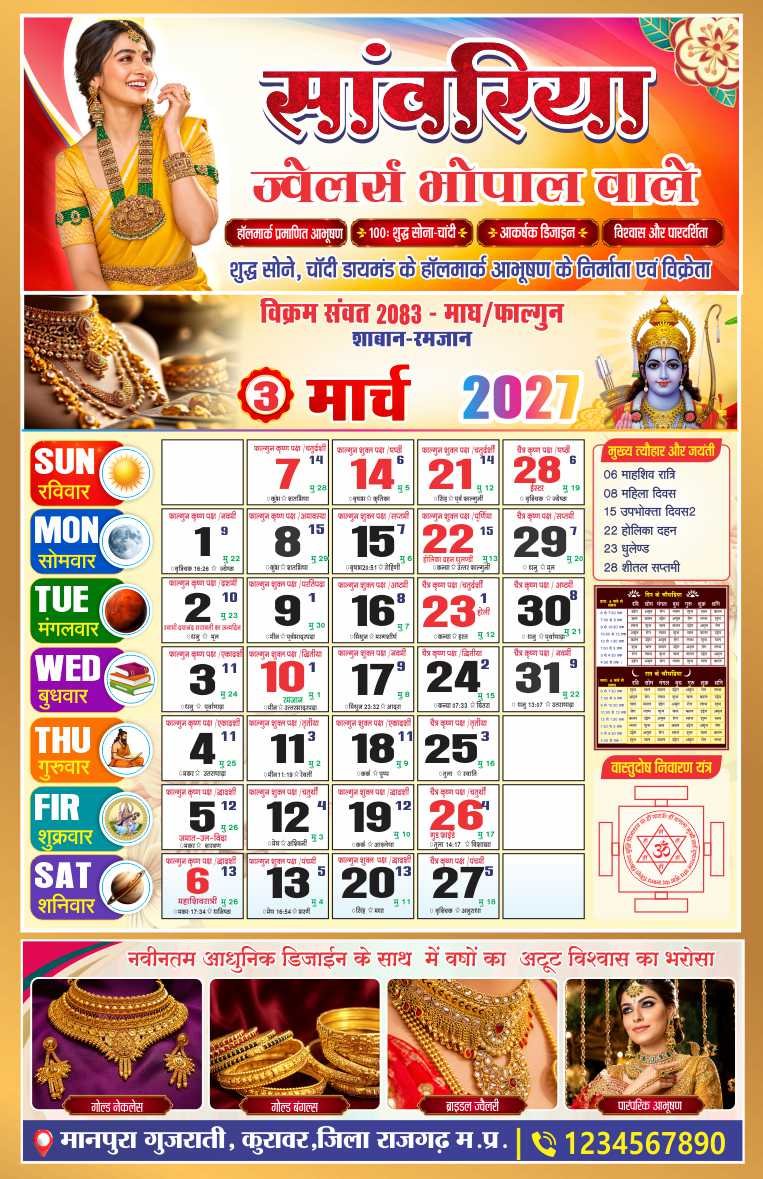
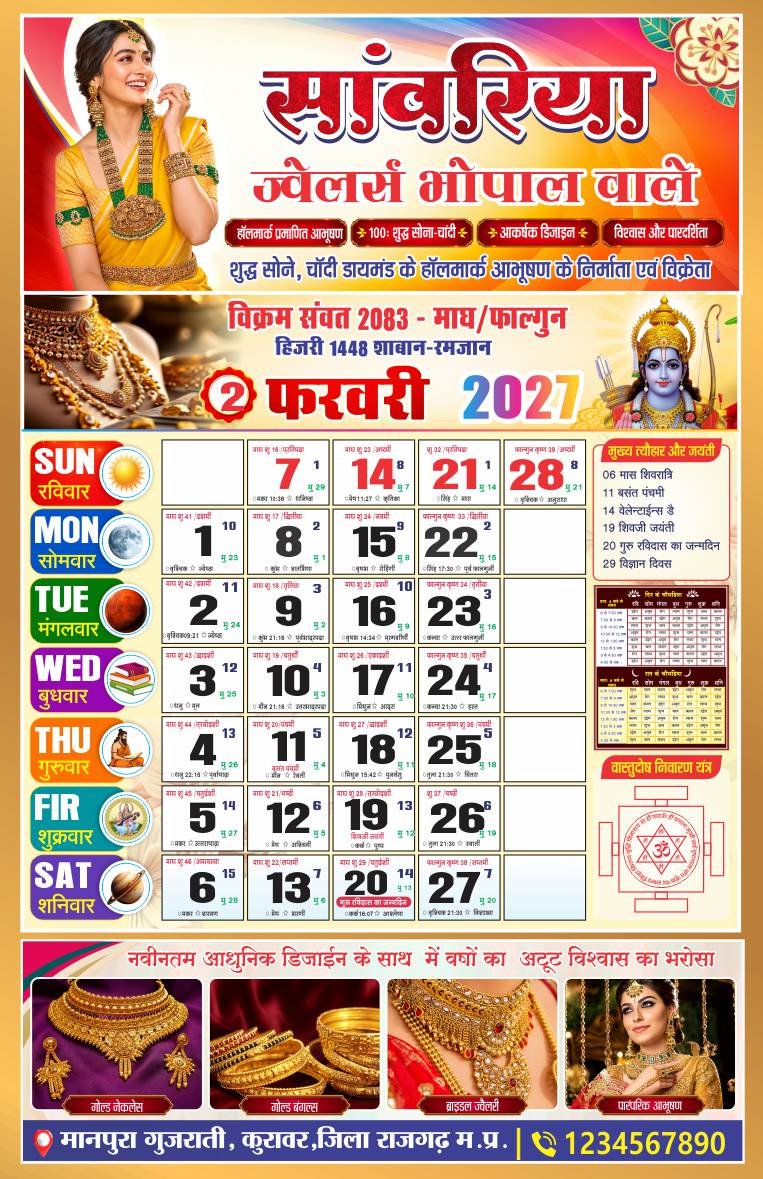
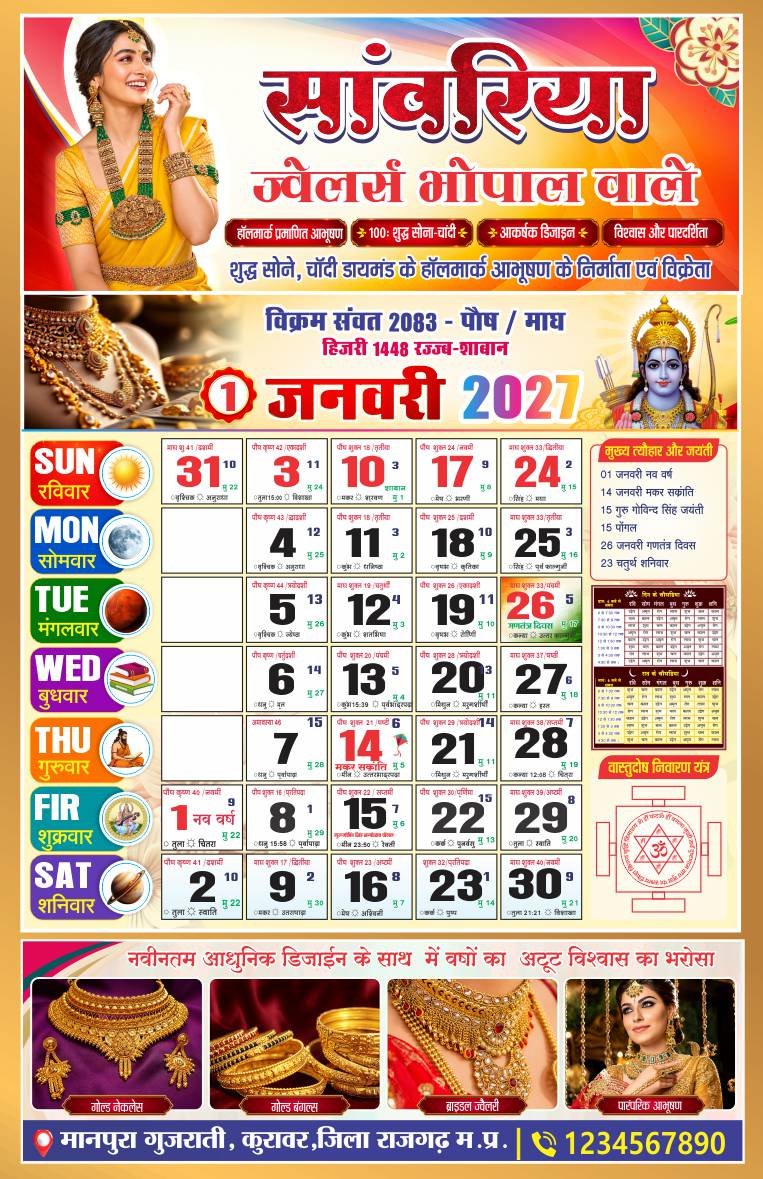
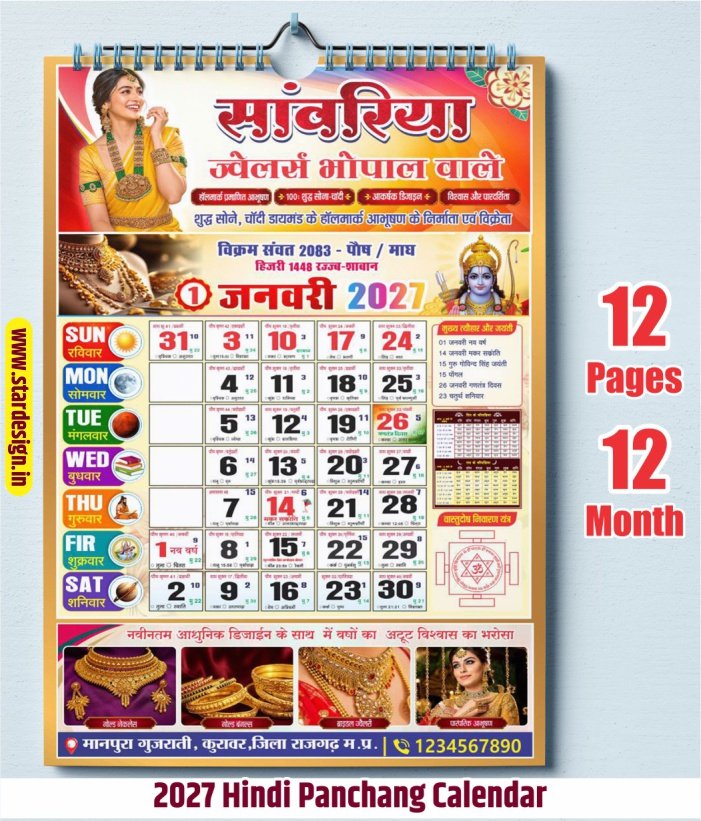
A Hindi Panchang calendar brings two ways of organizing time together. Gregorian dates provide the familiar numbered days and months used for work, school, appointments, and travel, while Panchang details connect each day with the traditional Hindu calendar. This combination helps readers locate an observance on a date they already recognize and understand the religious or seasonal context associated with it. For a 2027 calendar, clear alignment between the Gregorian date and the corresponding Hindi date is especially important, since readers may use both systems throughout the year.
Depending on its purpose, a calendar may include Hindi lunar months, tithis, weekdays, nakshatras, yoga, and karana. A tithi identifies a lunar day and is commonly relevant to festival and vrat observances. Nakshatra, yoga, and karana provide further traditional timekeeping information, while the weekday offers an accessible reference for everyday planning. Many calendars also highlight festivals, fasting days, public holidays, and other significant observances. Regional notes can clarify differences in celebration dates, local customs, or calendar conventions, particularly when information is intended for readers across multiple parts of India or for Hindi-speaking communities abroad.
Not every Panchang calendar needs to display every element. A compact wall calendar might prioritize dates, major festivals, and vrat days, whereas a detailed almanac-style design could provide tithi timings and additional Panchang fields. The intended audience should guide these choices: a general household calendar, a temple publication, and a planner for readers who consult daily astrological details have different needs. Available page space matters as well. Too much information in a small grid can make dates difficult to read, while selective labels, consistent abbreviations, and a separate explanatory key can preserve useful detail without clutter. Before designing the 2027 layout in CorelDRAW, decide which information readers need at a glance and which can be placed in notes or a legend. Verify dates and regional observances against a reliable source, then present them in a clear hierarchy so the calendar remains both informative and practical.
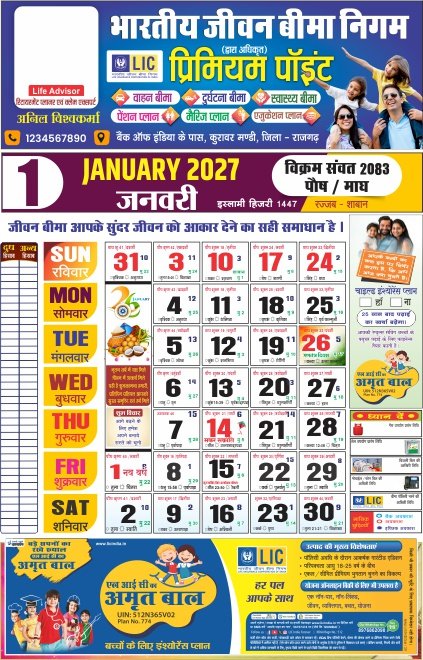
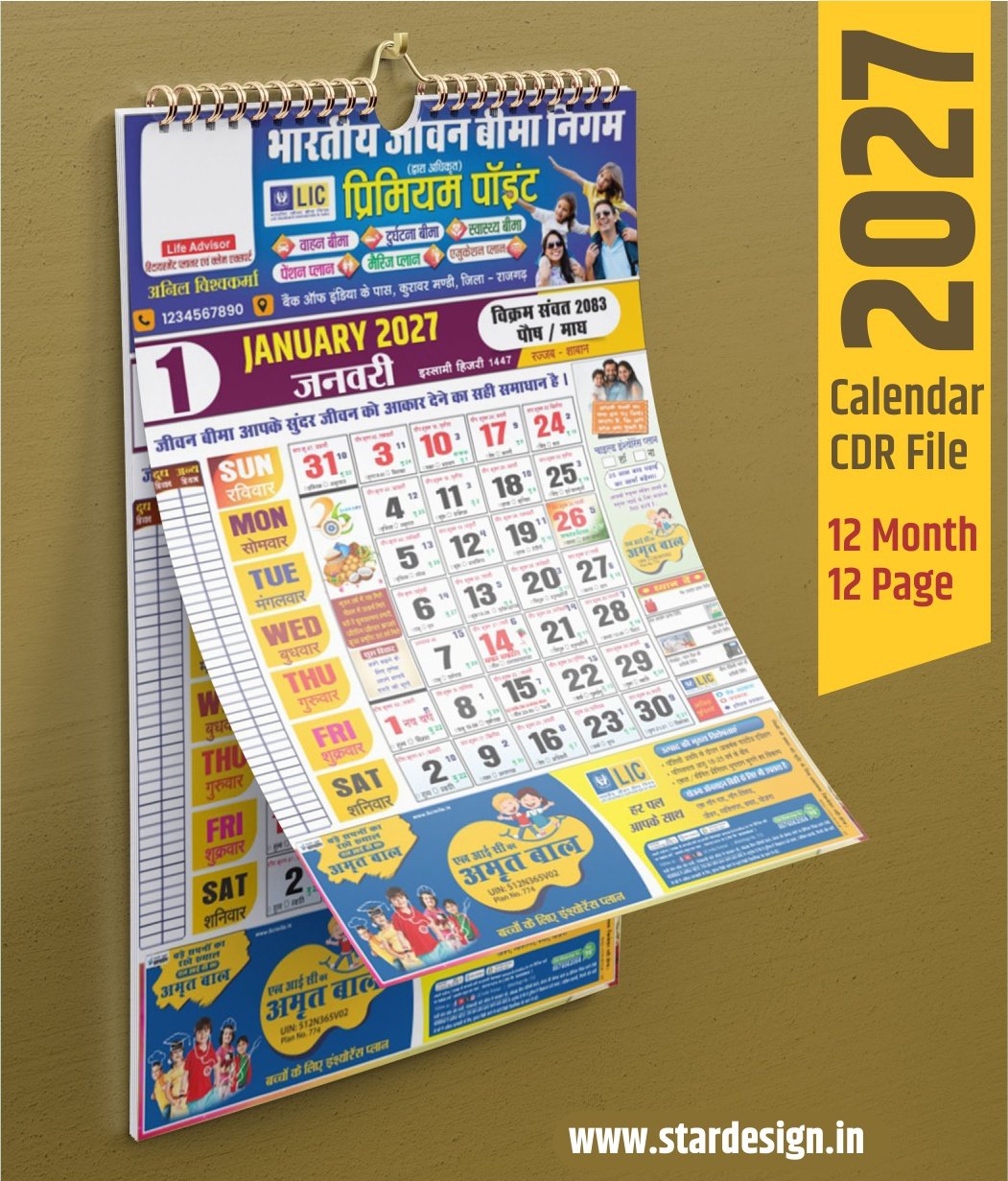
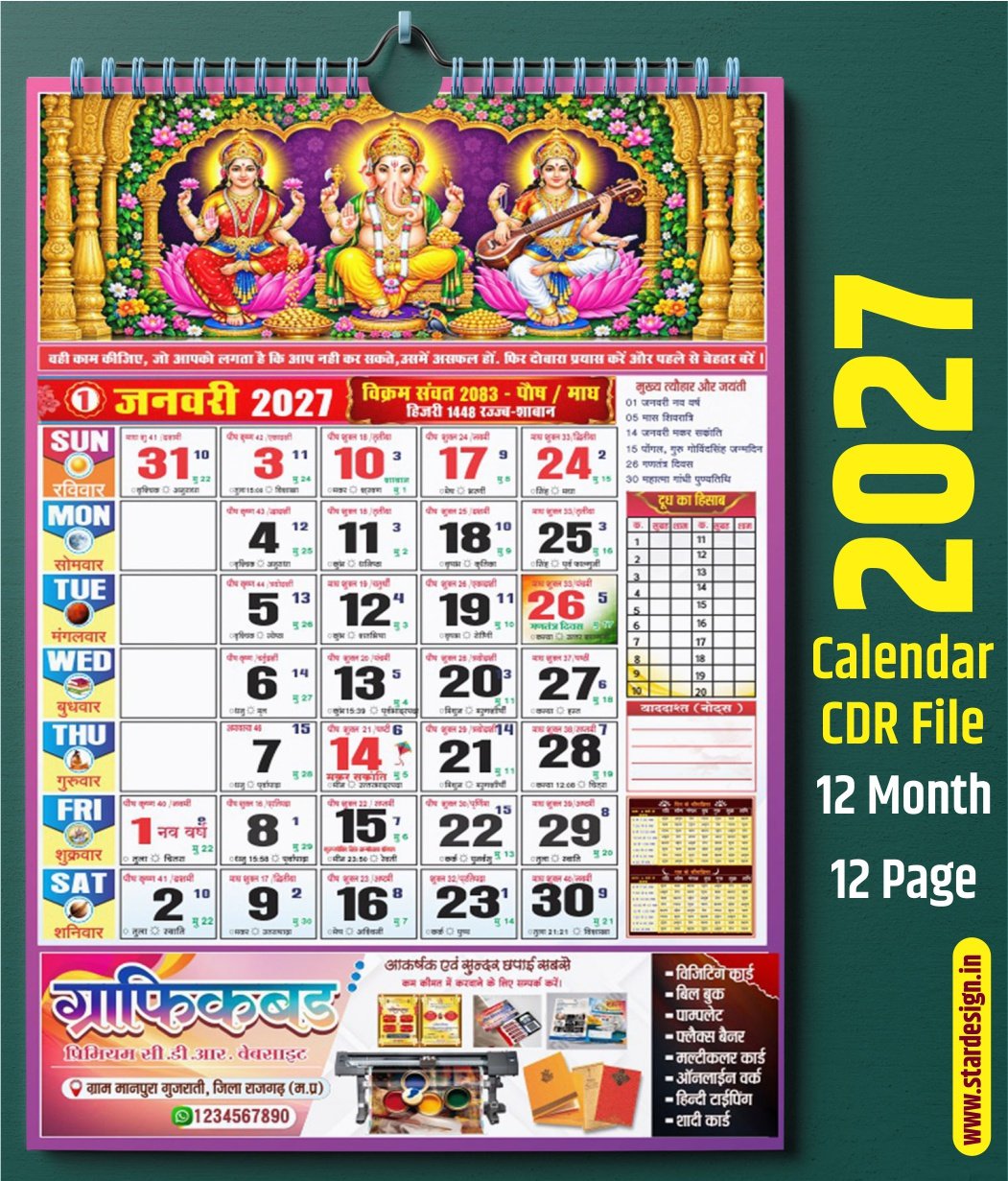
Preparing a 2027 Hindi Panchang calendar in CorelDRAW can make the design process more adaptable than working with a flattened image or print-ready PDF alone. A CDR working file can preserve separate text, shapes, rules, icons, and other vector elements, allowing designers to revise details without rebuilding each page. This is especially useful for a calendar that combines dates, festival names, tithi information, and regional notes, where updates or corrections may be needed before printing.
Editable text helps with practical changes such as correcting a Hindi spelling, adjusting a date label, or changing the size and placement of month headings. Vector elements can be resized cleanly, while flexible page layouts make it easier to accommodate different paper sizes, binding margins, or print specifications. A reusable calendar grid can also speed up production: designers may duplicate a consistent structure across the year, then update each month’s dates and Panchang details while maintaining a coherent visual system.
The same file can support local and organizational variations. Colors, fonts, logos, decorative motifs, and regional information can be adapted for a particular audience, publisher, temple, or business. For example, a version for one region may require different festival annotations or observance details from another. Keeping these components accessible in the design file can simplify such changes and reduce the risk of inconsistent formatting between pages.
However, the CDR extension alone does not guarantee that every element will remain editable. The file’s construction matters. Before relying on it, check whether calendar text is still live text or has been converted to curves, and confirm that the required fonts are installed or supplied. Curved text retains its appearance but is less convenient to edit as writing. Also verify that linked images are included or packaged with the file; otherwise, they may appear missing when the project opens on another computer. These checks help ensure the working file is genuinely useful for revisions, localization, and future editions.
Panchang details should be verified before they are placed in a 2027 calendar layout. Hindu calendar dates and observances are not always identical across regions: timings may depend on the location’s sunrise, local time zone, tradition, and the calculation method used by a source. A date shown for a festival in one city may therefore differ from the date observed elsewhere. These variations are not necessarily errors; they can reflect different regional practices or astrological conventions.
First, decide which audience the calendar is intended to serve and select the corresponding city or time zone. Use that location consistently when checking tithi, nakshatra, yoga, karana, sunrise, and other Panchang information. Consult reliable sources that clearly state their regional settings and calculation basis. Where possible, compare key dates with a trusted local almanac, temple calendar, or established Panchang provider. If sources disagree, investigate the reason rather than combining entries from different locations or methods without explanation. Keep a record of the source and settings used so the information can be reviewed before publication or later editing.
Pay particular attention to observances associated with a tithi that begins or ends during the day. The tithi may span parts of two civil dates, while a festival’s observance date can be determined by a tradition-specific rule, such as the tithi prevailing at a prescribed time. In the design, distinguish all-day festival labels from time-specific details. A festival name can sit in the date cell, while a separate, clearly formatted line or note gives the relevant start or end time when it is useful to readers. Avoid presenting a changing tithi as though it necessarily lasts for the entire printed day.
Add a brief regional-basis note to the calendar, for example, identifying the city or time zone and the source or convention followed. This disclosure helps readers interpret the dates accurately and makes an editable CorelDRAW file easier to maintain. If the calendar is adapted for another region, verify the affected timings and observances again instead of changing only the location label.
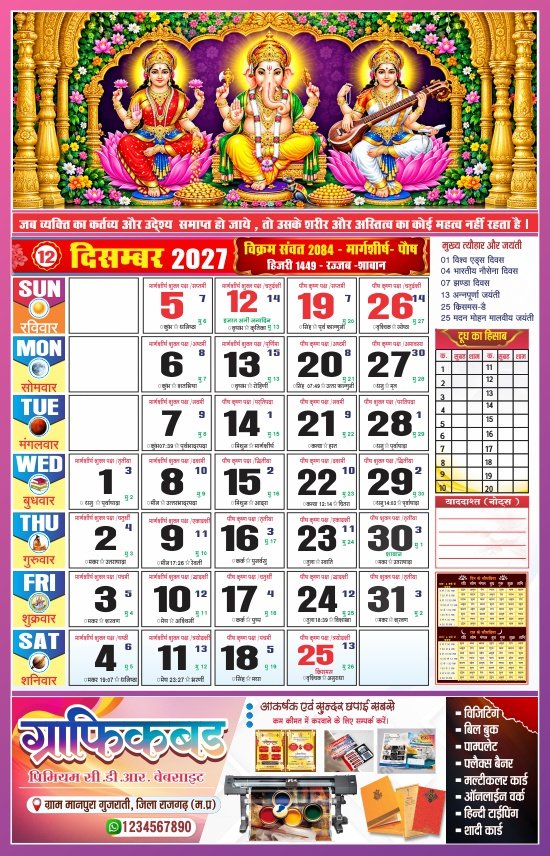
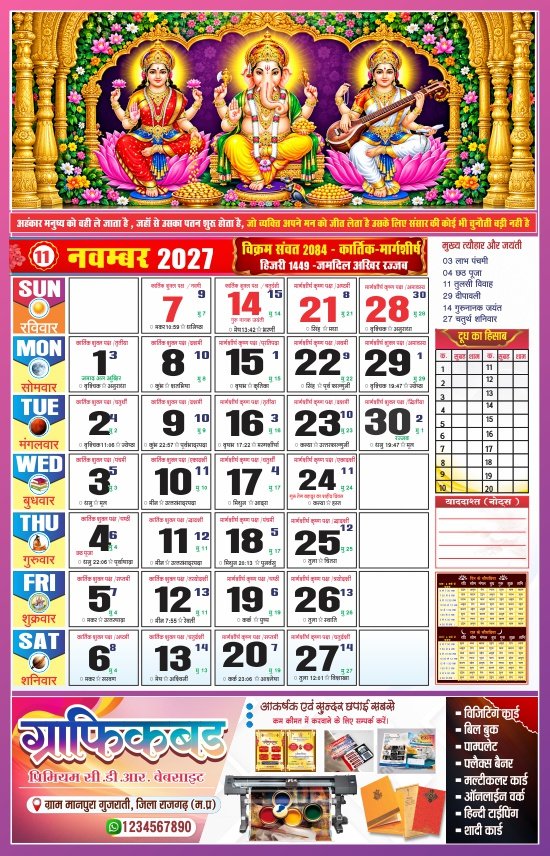
Choose the calendar format before drawing individual elements in CorelDRAW, because the page structure determines how much information each month can accommodate. A single-page annual overview is useful for quick reference and printing, but its date cells leave limited room for Hindi observances or Panchang notes. A twelve-month layout places all months on one sheet and offers a practical balance between overview and legibility, particularly for wall calendars. A month-per-page format provides the most space for festival names, lunar dates, tithi, nakshatra, or other details, though it requires more pages and consistent templates.
Once the format is selected, divide each page into clear working areas. Reserve the largest, most regular area for the date grid, with enough space in each cell for a date number and, where needed, a short observance label. Allocate a predictable band for the Hindi month name and an English month reference so readers can identify both calendar systems at a glance. Keep festival highlights distinguishable from ordinary dates, and set aside a separate notes area if longer Panchang details must be included. Avoid crowding the grid to fit information that would be clearer in a legend or supplementary panel.
Establish hierarchy and placement before adding decorative borders, illustrations, or color treatments. Use the same position and alignment for month headings across every page; likewise, keep weekday labels, date numbers, and observance notes consistent in size and order. Decide how weeks will run, how dates from adjacent months will appear, and how Sundays or other selected days will be emphasized. In CorelDRAW, guides, grids, and reusable master elements can help maintain these relationships as the layout develops. Check a sample page at its intended print size, since text that appears readable while zoomed in may be too small on paper. A stable structure makes the calendar easier to scan, revise, and reproduce, while leaving decoration room to support rather than compete with its information.
A Hindi–English calendar needs a typography system that gives both scripts room to breathe. Devanagari often occupies more vertical space than Latin text, particularly where headline strokes, vowel signs, and conjuncts extend above or below the main character shapes. Avoid squeezing translations into narrow date cells. Instead, reserve separate, predictable areas for the Gregorian date, tithi or lunar details, and festival names. Use concise labels where space is limited, and allow longer observances to wrap cleanly rather than reducing type until it becomes difficult to read.
Choose fonts with reliable Devanagari support and test them in the actual CorelDRAW workflow. Noto Sans Devanagari and Noto Serif Devanagari are practical options; other professional Hindi families may also work if their shaping is dependable. Check representative text containing common matras, half-forms, conjuncts, and marks, including combinations such as क्ष, त्र, ज्ञ, and कि. Inspect the output at normal viewing size and in a proof, since incorrect shaping or spacing may be less obvious while zoomed in. Confirm that every selected typeface is installed on the computer used for editing, as well as on any system that will open or export the file.
Establish a small set of readable sizes and apply them consistently. Month names and weekday labels can be prominent, while dates should remain legible in the smallest calendar cell; festival names and secondary Hindi details may use a slightly smaller size, but should not become cramped. Maintain strong contrast between text and background, and use color as an aid rather than the only way to distinguish holidays. Assign consistent styles to dates, festival names, and explanatory notes so revisions remain manageable. Before delivery, check for font substitution on the intended system and review a printed proof. Keep an editable version with live text. For a final print copy, embed fonts when supported, or convert text to curves only in a separate output file after checking spelling, shaping, and layout; curves preserve appearance but make later text edits difficult.
Populate the calendar one month at a time rather than entering the entire year in a single pass. Begin with a verified Gregorian calendar for 2027, then confirm each month’s starting weekday, number of days, and date placement before adding any Panchang details. This sequence helps prevent a small alignment error from shifting every date in a month. Use a consistent grid and check the finished month against a second calendar or trusted date source. Pay particular attention to February and to months that begin or end midweek, where misplaced entries may be less obvious.
Prepare the information in a spreadsheet or structured source table before transferring it into CorelDRAW. Useful columns include Gregorian date, weekday, Hindi date or tithi, observance name, category, and reference or verification note. Keep spellings and abbreviations consistent, and separate the data from the visual layout so corrections can be made without rebuilding calendar cells. Where Panchang details differ by location or calculation method, record the applicable region and source. Verify festival dates, vrat observances, and public holidays against dependable references; do not assume that a date published for one city applies everywhere.
Apply a restrained legend to distinguish major festivals, vrat days, public holidays, and regional observances. A small symbol, border treatment, or short label can make each category easy to identify without crowding the date cells. Pair color with text or symbols rather than using color alone, so the calendar remains understandable in grayscale and accessible to readers with color-vision differences. Include a compact legend on each relevant page, and use the same marks throughout the year. Before finalizing, compare every marked event with the source table, check that labels fit their cells, and review regional notes for clarity. This method supports accurate date entry while keeping the editable CorelDRAW file organized and practical to update.
A 2027 Hindi Panchang calendar should communicate dates and observances before it draws attention to decoration. Establish a clear visual hierarchy in CorelDRAW by giving the date numerals and essential Panchang details the strongest emphasis. Use a consistent type system for month names, weekday labels, tithi information, and festival names, with size and weight distinguishing each level. Leave enough space around every date cell so that Hindi text remains legible when the calendar is printed or viewed on a smaller screen.
Cultural motifs can provide context without overwhelming the layout. Consider restrained elements such as a fine ornamental border, a small diya, or a subtle floral pattern, placing them in margins or section headers rather than behind important text. Seasonal imagery may also help each month feel distinct: flowers, monsoon clouds, harvest references, or winter foliage can reflect the time of year. Choose imagery that is respectful and relevant, and avoid symbols whose meaning is uncertain or whose use could be inappropriate for the intended audience.
Build a coordinated palette with a limited set of colors. A calm background, dark text, and one or two accent colors can support readability while giving auspicious days a recognizable treatment. Check contrast in both color and grayscale, since not every reader will view or print the calendar in full color. Avoid relying on color alone to convey meaning; pair color cues with labels, borders, or small, clearly understood markers.
Apply the same visual rules throughout the calendar so readers can interpret it quickly. For example, use one accent style for festivals, another for public holidays, and a neutral style for ordinary dates, then include a concise legend if the distinctions are not self-evident. Keep these markers consistent from month to month, and verify that they do not compete with numerals or Panchang entries. A disciplined visual system makes the calendar easier to scan while preserving its cultural character.
Before editing the 2027 Hindi Panchang calendar, check the document setup against the printer’s specifications. Choose a page size that matches the finished calendar, including its orientation and binding or hanging method. Set bleed on every edge where artwork or background color reaches the trim line, and establish margins that allow for trimming, binding, and comfortable reading. Keep dates, festival names, tithi details, and other essential text within the safe area; decorative elements can extend into the bleed, but vital information should not. Confirm the required color mode, profile, and any spot-color requirements with the print provider rather than relying on assumptions.
Organize the editable CDR so another person can understand it quickly. Use descriptive names for pages, layers, and grouped objects, such as month names, calendar grids, illustrations, and background elements. Keep related components together, and lock objects that should not move during routine edits. Check that linked images are available and that their paths will remain valid when the file is transferred. Where appropriate, embed assets or include the linked files in a clearly labeled folder. Verify that fonts are installed on the receiving computer, or consult the printer about supplying font files or converting text to curves. Retain a separate working copy with editable text and objects, and create a distinct delivery copy for sharing or production.
Before sending the file, export a proof PDF using the intended page dimensions and output settings. Review every page at a readable zoom, checking that Hindi characters render correctly and that dates, headings, and festival information are complete. Inspect images for missing links, low resolution, unexpected cropping, or color shifts. Confirm that page size, bleed, margins, and orientation are consistent throughout the calendar, including any cover or notes pages. Review colors against the printer’s guidance and check that no important elements have been hidden, clipped, or placed outside the safe area. If possible, print a sample at actual size to assess legibility and spacing. Make corrections in the working CDR, export a fresh proof, and share the final CDR, PDF, and any required linked assets together with clear file names.
Before exporting or sharing the calendar, review every month systematically rather than checking only a few sample pages. Confirm that each date appears once, follows the correct sequence, and falls beneath the correct weekday heading. Check month lengths, year transitions, and any leap-year handling against a reliable reference. Inspect the grid for missing dates, duplicated numbers, misplaced labels, or inconsistencies introduced while editing in CorelDRAW.
Proofread all Hindi and English text, including month names, weekday names, festival labels, notes, and transliterations. Ask a fluent Hindi reader to review spelling, grammar, and readability. A second reviewer familiar with the relevant Panchang tradition should verify tithi, nakshatra, paksha, lunar month, and other included details. Check regional notes carefully: festival dates and observance conventions can differ by location or tradition, so make the calendar’s intended region clear.
Assess the printed proof at its intended size. Ensure numerals, Devanagari characters, fine rules, and Panchang details remain legible, with adequate contrast and spacing. Do not rely on color alone to distinguish holidays or observance types; pair colors with labels, symbols, or other clear markers. Confirm that fonts display correctly, linked assets are available, and the file remains editable in the intended CorelDRAW version or compatible workflow. Save a working copy, an exchange format if needed, and a print-ready export, then keep dated backups in more than one location.
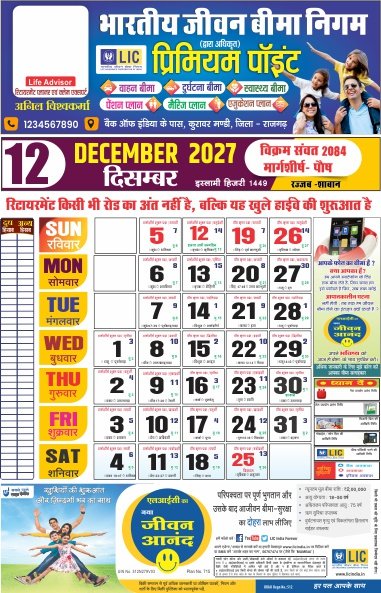
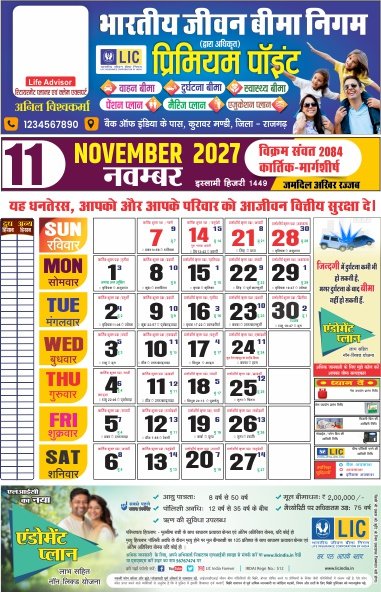
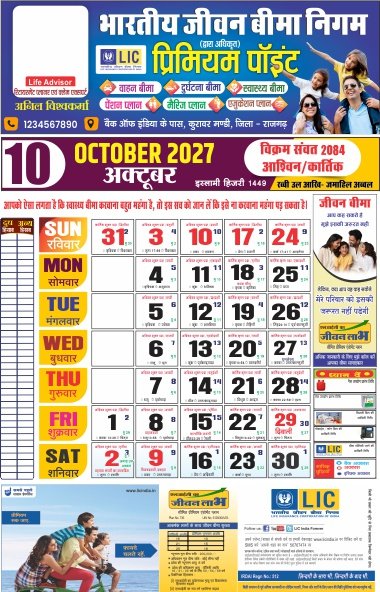
Once these checks are complete, record any remaining limitations and identify the calendar as a planning aid, not an authoritative source for every local observance. Users should confirm time-sensitive religious dates, tithi changes, and observance timings with a trusted local Panchang or knowledgeable community source. A careful review improves accuracy and usability, while transparent regional guidance helps readers apply the calendar appropriately.